Company Data Ops Series · CRM data quality
Your company data is probably messier than you think
Nobody opens their CRM and says, “Today I will fix company data quality.” The problem usually shows up sideways: a campaign goes to the wrong segment, a report looks suspicious, two reps work the same account, or a leadership dashboard says “Other” is your biggest industry.
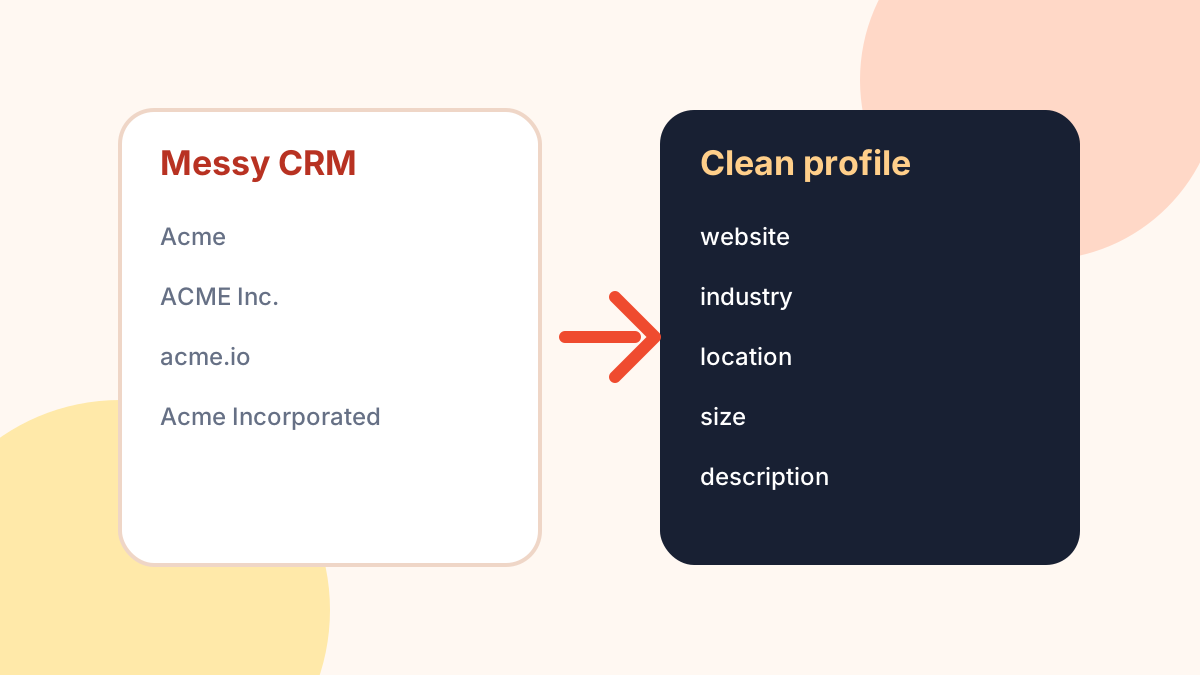
That is why company data problems are so easy to underestimate. They do not always look like a broken system. They look like small annoyances: blank websites, inconsistent industries, duplicate accounts, old locations, and company names that are too vague to be useful.
The quiet ways messy company data hurts teams
Bad company data rarely creates one dramatic failure. It creates drag. Teams make slightly worse decisions every day because the fields they rely on are incomplete or inconsistent.
- Sales routing gets fuzzy. If location, size, or industry is missing, routing rules become exceptions and manual judgment.
- Segmentation gets weird. “Software,” “SaaS,” “Information Technology,” and blank may all describe similar accounts, but your filters treat them differently.
- Reporting loses credibility. If leadership does not trust the account data, every dashboard becomes a debate about the dataset instead of the business.
- Prospecting slows down. Reps have to Google the same basic facts before they can write a relevant message.
- Automation becomes risky. Workflows that depend on bad fields can trigger the wrong sequence, score, owner, or review path.
A realistic example
Imagine your CRM has these five account rows:
Acme
ACME Inc.
Acme Technologies
Acme.io
Acme Incorporated
Are these duplicates? A parent company and subsidiaries? Completely different companies? You cannot safely answer from the name alone. You need anchors: website, description, industry, location, size, and sometimes funding or founding context.
This is where many teams make the wrong move. They try to “clean the CRM” manually. Someone exports a spreadsheet, adds columns, searches Google, copies values, and eventually imports the file back. It works for 30 rows. It gets painful at 300. It becomes a tax at 3,000.
What a useful company record should contain
You do not need every possible field. You need enough context to make downstream work less dumb. A practical baseline looks like this:
{
  "input_name": "Acme",
  "matched_website": "https://example.com",
  "description": "B2B workflow software for operations teams.",
  "industries": ["Software", "B2B", "Productivity"],
  "location": "Austin, Texas, United States",
  "size": "51-100",
  "funding_usd": null,
  "review_status": "needs-human-check"
}
The most important field above may be review_status. Good data workflows do not pretend enrichment is perfect. They separate “usable enough” records from records that need a human look.
The cleanup framework
If you are responsible for CRM or company data quality, start with a boring, repeatable process:
- Keep the original input. Never throw away the company name you started with.
- Add stable anchors. Website is usually the most useful field for matching and review.
- Normalize what you can. Industries and locations should be stored consistently enough to filter.
- Treat optional fields as optional. Funding, size, and some profile fields may be missing.
- Flag sparse records. If website, industry, and location are all missing, route the row to review.
- Cache results. Do not pay or wait for the same lookup repeatedly.
Where automation helps - and where it does not
A company profile lookup endpoint is useful for the first pass: turning a name into structured context. It can add fields that make routing, reporting, research, and segmentation easier. But it should not blindly overwrite your CRM truth.
A safer pattern is to write enriched fields into separate columns first:
{
  "account_name": "Acme",
  "crm_website": null,
  "enriched_website": "https://example.com",
  "enriched_location": "Austin, Texas, United States",
  "enriched_industries": ["Software", "B2B"],
  "sync_decision": "review-before-overwrite"
}
What to measure
Data cleanup should have a before/after. Track things like:
- Percentage of accounts with a website
- Percentage of accounts with industry and location
- Duplicate candidates found
- Rows flagged for human review
- Campaign or routing rules that can now run safely
The goal is not perfect data. The goal is fewer surprises.
If you want to use an API for the first pass
The ShakeChillies company enrichment endpoint can turn a company name into structured company profile fields such as website, description, industries, location, size, and optional funding data. Use it as a helper in a cleanup workflow, not as a magic source of truth.
Open the company enrichment API
Disclosure: this guide is maintained by ShakeChillies. The API is not an official Crunchbase product. Funding fields and some enriched fields may be unavailable for some companies, so production workflows should handle missing values.